Built for Performance.
Designed for Protection.
A professional trade copier requires more than just copying orders. Explore the tools that keep your accounts synchronized and funded.
Cross-Platform Trade Engine
TradeBridge connects NinjaTrader 8 and Quantower on your local machine. Copy trades in any direction with low-latency local processing.
- 4 copying directions: Copy NT8 to NT8, NT8 to Quantower, Quantower to Quantower, and Quantower to NT8.
- Work around NT8 Rithmic limits: NinjaTrader 8 commonly supports one active Rithmic connection. By routing eligible follower accounts to Quantower, you can support multi-account workflows where your Quantower license, broker, and feed provider allow the required simultaneous sessions.
- Dynamic bracket tracking: Copy Stop Loss (SL) and Take Profit (TP) brackets. Modifying, canceling, or filling brackets on your leader updates followers when the platform emits the related order events.
- External Charting & Execution Platforms (TradingView, Bookmap, Jigsaw, ATAS, MotiveWave):* You can use a preferred charting or execution platform connected to your broker account simultaneously with NinjaTrader 8 or Quantower. TradeBridge can copy those orders once the local gateway platform receives the account/order events from your broker. You do not need to trade inside NT8 or Quantower to copy.
* This setup requires that your broker or data feed provider allows concurrent sessions to the same account. Fees and availability vary by broker, connection type, and platform license.
Prop Firm Risk Management
Prop firms have strict rules on daily loss limits and trailing drawdowns. TradeBridge treats safety rules as top priorities, executing checks locally before copying orders.
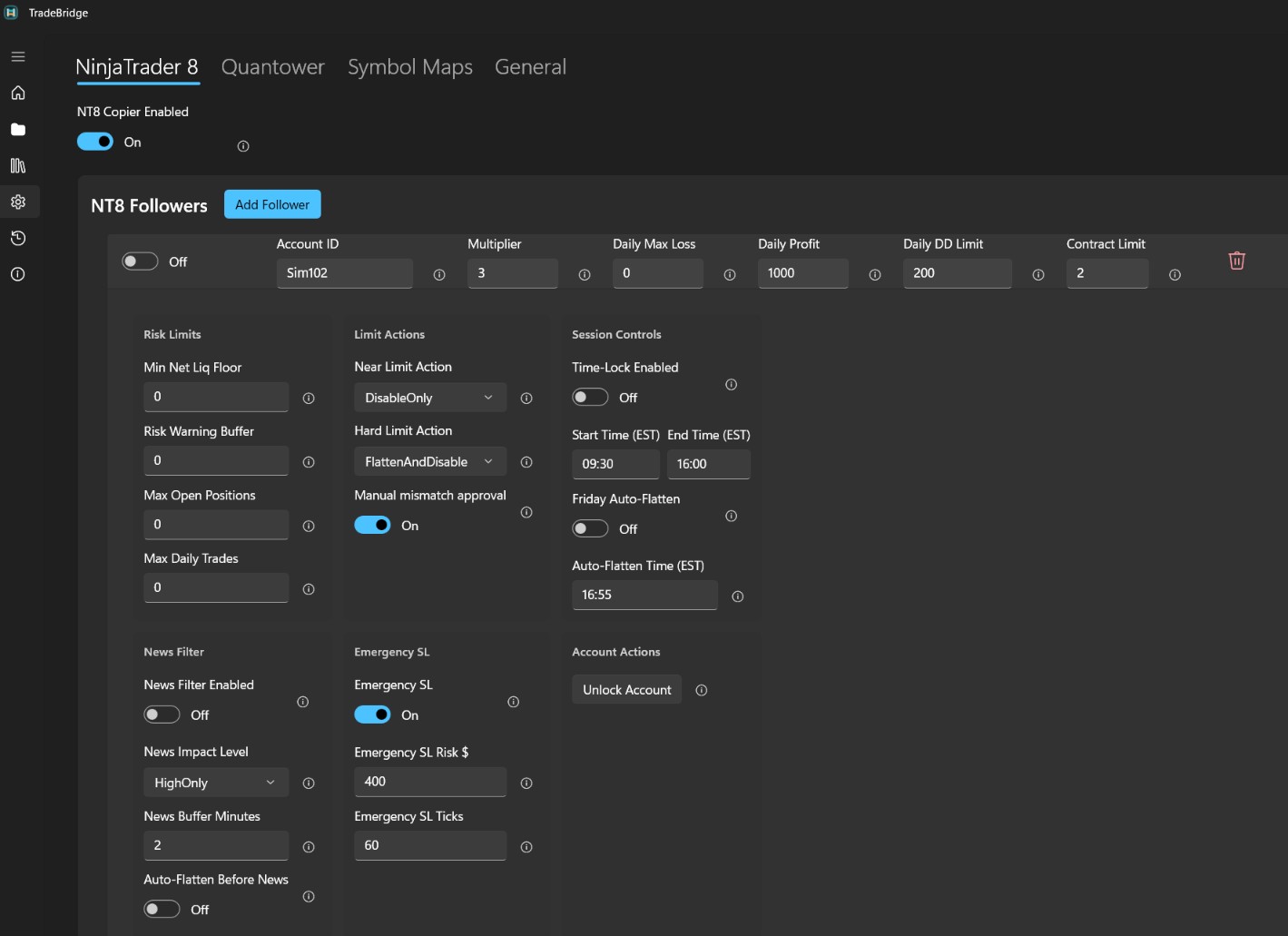
- Daily Max Loss: Automatically halt copying when daily realized or open loss limits are breached.
- Daily Profit Target Lock: Reach your goal, lock it in. Disables copying automatically to prevent overtrading once daily targets are reached.
- Daily Trailing Drawdown Limit: Set trailing drawdown safety floors based on session-high watermark equity.
- Min Net Liquidation Floor: Static absolute balance floor protection. If account equity drops below this, the configured Hard Limit Action is triggered locally.
- Risk Warning Buffer: Define warning buffers in dollars. Triggers Near Limit Actions (e.g. Warn Only) before hard breaches are hit.
- Max Contract Limit: Hard exposure cap in mini-equivalent contracts (e.g., 1 mini = 1.0, 5 micros = 0.5) to prevent exceeding prop contract size limits.
- Max Open Positions: Set the maximum number of separate instruments/positions that may be open at the same time.
- Max Daily Trades: Capping the total number of entry trades allowed per day to prevent revenge trading and overtrading.
- Time-Lock Session Windows: Restrict new copy entry orders to specific hours (e.g. 09:30 - 16:00 EST). Protective exits are never blocked.
- Friday Auto-Flatten: Automatically closes open positions and cancels working orders before the weekend close.
- Economic News Filter: Blocks copying around high-impact news releases using live calendar data, with optional auto-flattening and automatic recovery.
- 4-Level Risk Action Ladder: Customize warning and breach responses per account: Warn Only → Disable Copying → Cancel Pending Orders → Flatten & Disable.
- Manual Mismatch Approval: Require manual approval for position mismatches (Sync, Ignore, Flatten), or allow the runtime to attempt configured reconciliation.
- Emergency Stop Loss Backup: Set fallback stop loss protection based on dollar risk ($) or ticks if copied brackets are delayed.
Smart Size Matching
Copy trades across accounts with different buying power. TradeBridge handles contract conversions automatically.
- Mini ↔ Micro Conversion: Automatically match standard index sizes to micros (ES to MES, NQ to MNQ, RTY to M2K, YM to MYM).
- Fee Optimization Engine: Can bundle 10 micro contracts into 1 mini contract when optimization is enabled, which may reduce commissions depending on your broker's fee schedule.
- Strict Sizing Controls: Turn optimization off when you want copied trades to stay in the mapped micro/mini instrument instead of mixed optimized sizing.
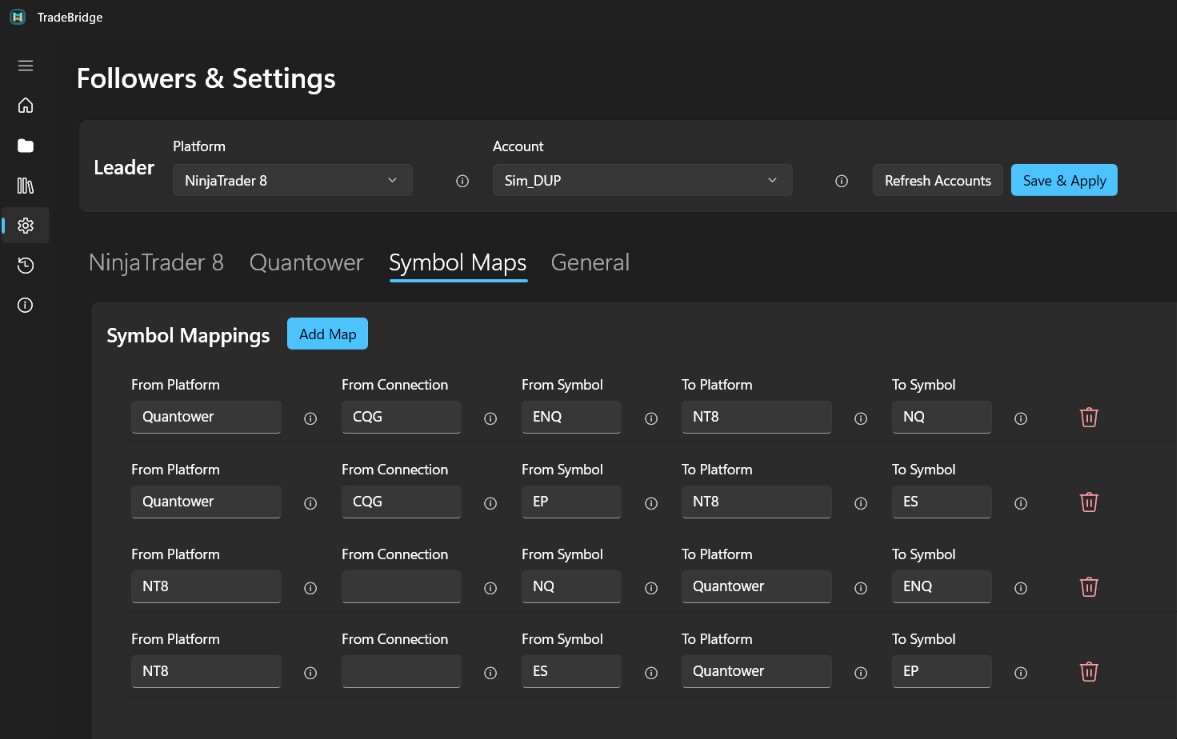
- Symbol Mapping Grid: Map custom contract codes between platforms or connections to force executions exactly where you want them.
- Custom Multipliers & Sizing: Proportional ratio-based scaling (e.g. x0.5, x2, x3.5) with automatic flooring and rounding to match broker-allowed sizes.
Built-in Trading Journal
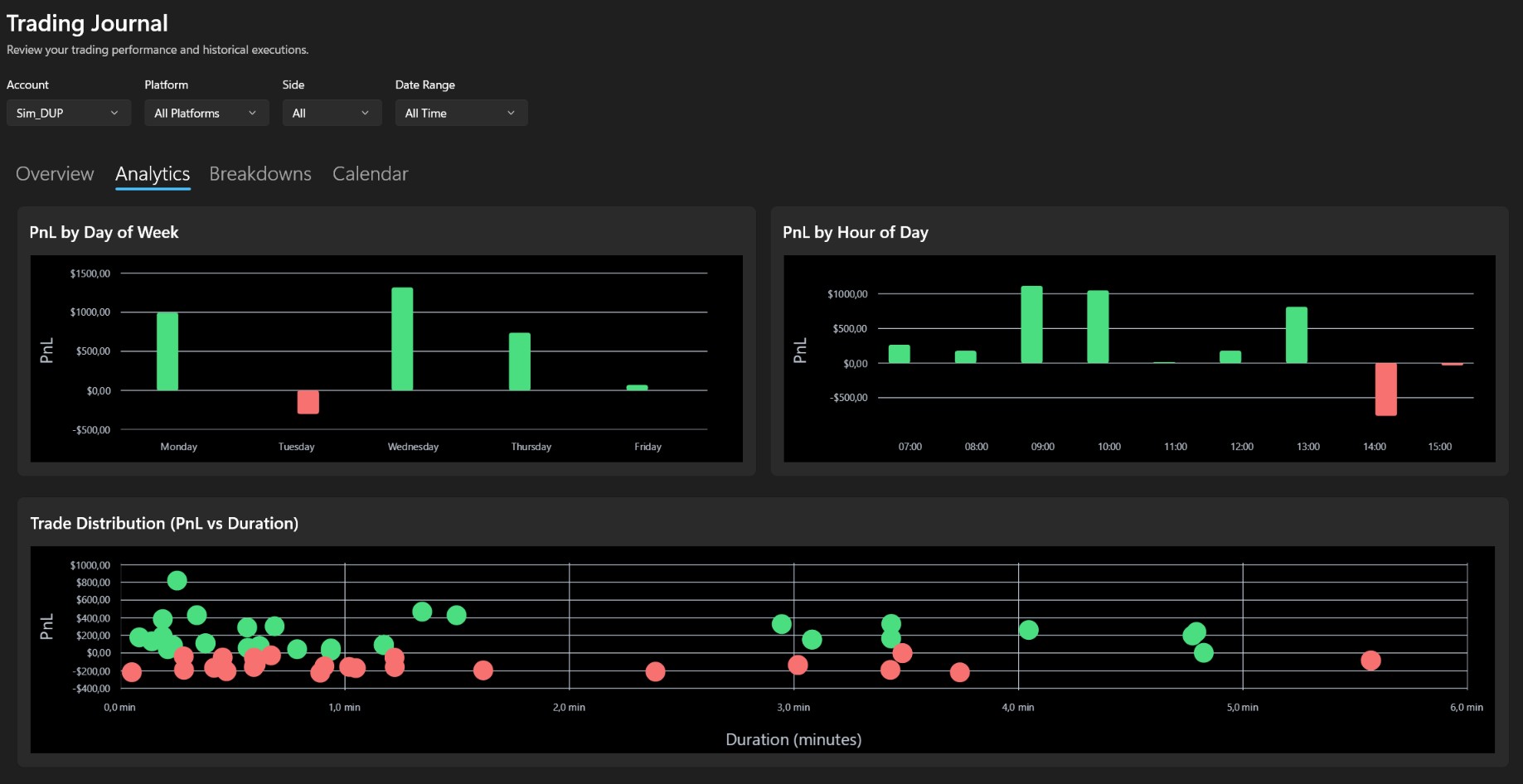
Review and analyze your copying performance across all accounts dynamically. The Control Center records executions locally to calculate key statistics with no manual input.
- Advanced Metrics: View Win Rate, Profit Factor, Total Commissions, single Largest Win/Loss, and Long vs Short breakdowns.
- Performance Distributions: Visual charts showing daily cumulative performance, PnL by Day of Week, PnL by Hour of Day, and PnL by Instrument.
- Granular Breakdowns: Compare performance by individual account and symbol in structured grids to see exactly which connections are most profitable.
- Execution History: Full historical trade log listing exact execution date, account, side, price, commissions, and realized PnL.
Copy Precision & Latency Monitor
Verify copy timing and check fill slippage across your accounts. TradeBridge shows local copy timing plus platform/broker response data when available.
- Latency & Order Tracker: Separates local copy send/copy delay from broker response and in-book duration, so you can see whether time was spent in the copier, platform, or broker/simulator.
- Slippage & Price Auditing: Measures fill price differences between leader and follower accounts when execution data is available. Identical fills are not guaranteed in live markets.
- Execution Synchronization Audit: Detailed log lists order type, side, quantity, ratio, leader price, follower price, slippage points, copy timing, and order state.
- Quantity Ratio Tracking: Audit whether follower accounts successfully filled 100% of expected contract sizes after multipliers are applied.

Emergency Stops & Diagnostics
Protect follower accounts from execution gaps and easily package system logs for troubleshooting.
- Emergency Protective Stop Loss: If follower positions open without a protective stop loss (or if bracket copying is delayed), TradeBridge automatically places local fallback stops after a brief grace period.
- Risk or Tick-Based Stops: Calculate emergency stop distances dynamically based on dollar risk limits (e.g. $100 risk limit) or fixed tick counts.
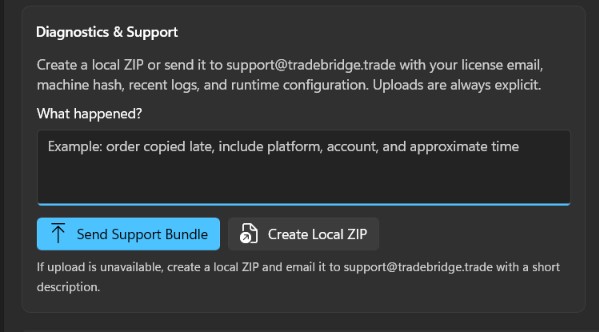
- Support Diagnostic Bundles: Click "Support Bundle" in the Control Center to package logs, status files, config snapshots, and diagnostic metadata into a single ZIP for support.
Platform Integration
TradeBridge works through the local NinjaTrader 8 Add-On and Quantower receiver strategy. Broker/feed behavior can vary, so always validate new setups in simulation first.
NinjaTrader 8
NinjaTrader 8 supports a wide variety of broker setups. TradeBridge runs inside NinjaTrader as a NinjaScript Add-On and follows the account/order events NinjaTrader exposes:
- Rithmic: Supported (limit of 1 simultaneous Rithmic connection inside NT8).
- Tradovate: Supported where NinjaTrader exposes the connected trading account events.
- dxFeed: Supported where available as a NinjaTrader data/trading feed.
- Interactive Brokers: Supported through NinjaTrader where account/order events are exposed.
- Forex Feeds: FOREX.com, City Index, and FXCM can be used through NinjaTrader-supported account connections.
- Other Feeds: Barchart, IQFeed.
- Note: Direct CQG connections are not supported inside NinjaTrader 8. Use Quantower if CQG is required.
Quantower
Quantower connects to many brokers and feeds. TradeBridge runs as a Quantower strategy and depends on the connection exposing account, order, and position events:
- Futures & Prop Firms: Common Rithmic, Tradovate, CQG, dxFeed, ProjectX, and sponsored broker/prop setups where Quantower exposes the required trading events.
- Crypto Exchanges: Potentially usable through Quantower-supported exchange connections; validate each exchange and symbol mapping before live use.
- Multi-Connection Support: Multiple simultaneous connections depend on your Quantower license, broker sponsorship, and connection provider.
Supported Prop Firms & Feeds
Common prop firm and brokerage setups often use these feeds. Availability depends on your broker/platform connection and must be tested in simulation:
- Prop Firms:
- Apex Trader Funding
- Topstep
- MyFundedFutures
- Tradeify
- Take Profit Trader
- Bulenox
- Leeloo Trading
- Earn2Trade
- Lucid
- TradeDay
- ...and many more
- Data Feeds:
- Rithmic
- Tradovate
- dxFeed
- CQG
- ProjectX
Ready to upgrade your copy trading?
Get started with a 14-day trial of TradeBridge. No credit card required; validate your own setup before purchasing.
Start Free Trial Now